Choose a Christmas movie that fits your family’s evening
Compare up to three movies by time, content, and the audio or accessibility options your family needs. Use the choice sheet to decide what works tonight—and what still needs checking.

A Christmas movie can look like an easy choice until you notice that it runs past bedtime or the version on your TV lacks the captions someone needs. Start with the evening you have, then check a small number of movies against it. One candidate is enough; comparing up to three gives you room for a backup without turning the night into a long search.
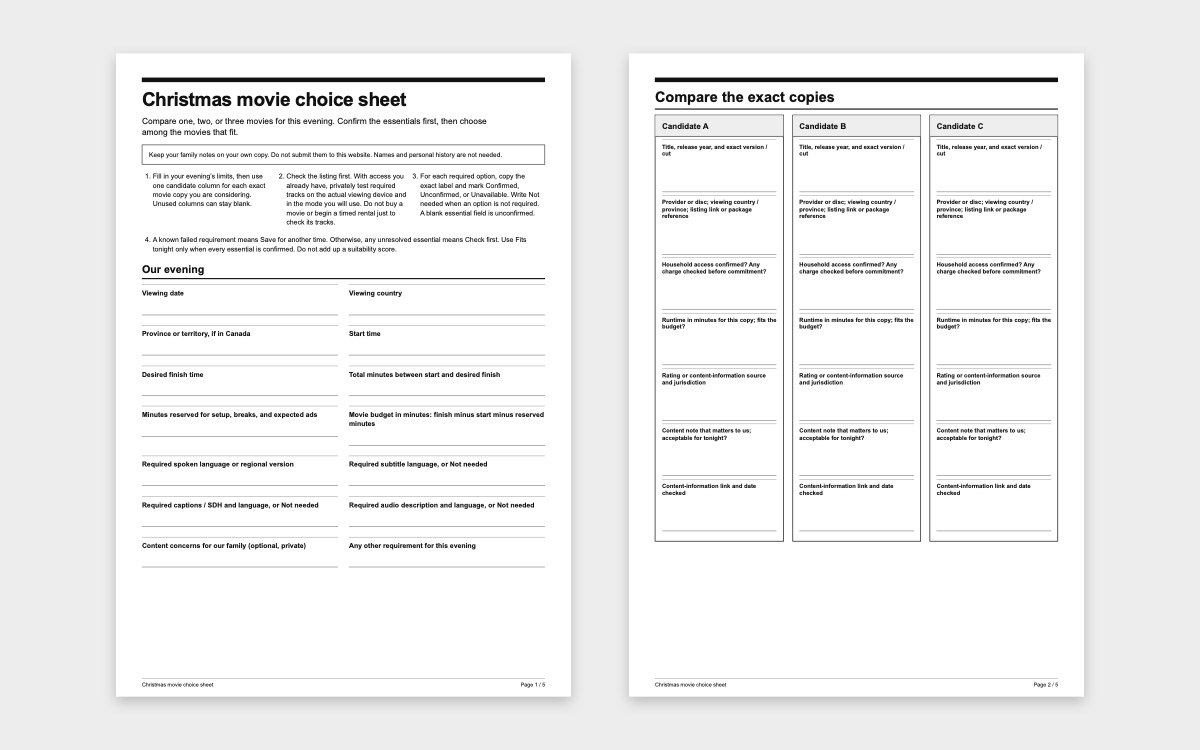
The Christmas movie choice sheet (PDF) and accessible choice sheet give you the same space to compare them. Print a copy or use the prompts in your own notes. Your family’s notes are private: you do not submit them to this website.
Start with the time you actually have
Write down when you can start and when you want to finish. Subtract an allowance for getting settled, breaks, and any ads you expect. What remains is your movie budget in minutes. Choose the allowance yourself; it is a planning estimate, not a recommended amount of screen time.
Use the runtime shown for the exact copy you plan to watch. Record the title, release year, and version or cut, along with the provider or disc. If two listings disagree, check whether they describe the same version rather than averaging their runtimes. An unknown runtime stays unresolved. A movie that exactly fills your budget fits the arithmetic, but leaves no extra room beyond the allowance you already reserved.
Check access at this stage, too. Can your household use this particular copy tonight? If there is a charge, confirm it before committing. Finding a title in search results does not confirm that your household can play it.
Read what the rating tells you about this movie
For a US release, look up the title in the MPA ratings guide and search. Read the letter rating alongside the movie’s descriptor, when one is provided. The descriptor names content that contributed to the rating. Match the record to the movie you are considering, and write down the source and the date you checked it. If you cannot find a matching MPA record, use the provider’s content information and identify it as such; do not assign a rating yourself.
Then consider what matters in your household. A scene involving separation or family loss may matter more to your child than another kind of content. Read fuller content information when available, privately if you want to avoid sharing spoilers. A rating is information for your decision, not a promise that every child will be comfortable. A warning’s absence is not proof that a particular scene is absent.
You only need a brief personal note on the sheet: the relevant content, where you learned about it, and whether it works for your family tonight. There is no need to record children’s names or explain their private history.
Check spoken audio, on-screen text, and audio description separately
Before comparing language menus, decide what is essential. Does someone need a particular spoken language? Subtitles in a particular language? Captions or subtitles for deaf and hard-of-hearing viewers, often labeled CC or SDH, include information beyond dialogue. Audio description, often labeled AD, adds spoken descriptions of visual information. Check the feature as well as the language: ordinary subtitles may not supply the information a viewer needs. Apple’s accessibility guide explains these labels and where its app lists available features.
Copy the exact label offered for each option you need. A translated description or interface does not confirm a dubbed soundtrack, and a broad language name may not identify the regional version you prefer. Write “Not needed” for an option your household does not require. Leave an unconfirmed essential marked “Unconfirmed,” rather than letting an empty box look like a yes.
Check the title’s information page first. Some settings are inside the player: Apple’s playback instructions, for example, show audio and subtitle selection during playback. When you already have access, privately test a short segment on the device you will use together. Confirm that the required tracks can be selected and that sound and text work as expected. A short technical check does not establish the suitability of the entire movie.
Do not buy a movie or start a timed rental just to discover whether an essential track exists. If the listing does not answer the question and you cannot check with existing access, ask the provider or keep the movie marked “Check first.”
Record the device and whether you checked streaming, a download, or a disc. This detail can change the answer: Netflix’s language help explains that available options can depend on location, preferences, title, and device, and that downloads may offer fewer languages than streaming. A check on a phone is therefore not enough to settle a question about a downloaded copy on another device.
Let the essentials decide which choices remain
Each candidate gets one of three decisions. If a known requirement fails—too long, unsuitable content for your family tonight, or a missing essential track—mark “Save for another time.” If no requirement has failed but an essential is still unknown, mark “Check first.” Only mark “Fits tonight” when the runtime fits, household access and required tracks are confirmed, and you have reviewed the content and found it acceptable for your family tonight.
These are separate requirements, not points to add up. A favorite story cannot compensate for missing captions that someone needs. Once the essentials are settled, let everyone choose among the movies that fit. You can use the sheet for one movie without filling the other two columns.
Here is a fictional example, using invented runtimes rather than real movie recommendations. From 6:30 p.m. to 8:15 p.m. is 105 minutes. Reserving 15 minutes leaves a 90-minute movie budget.
- Candidate A runs 86 minutes, but the required spoken audio is unconfirmed: Check first.
- Candidate B runs 102 minutes, which exceeds the budget: Save for another time.
- Candidate C runs 78 minutes, access and all required tracks are confirmed, and the family finds the content acceptable: Fits tonight.
Candidate C meets this family’s requirements for this evening. If none of your real candidates fits, choose a familiar shorter option you have already checked, or do something else together. You can return to the longer movie another evening.
Leave room to change your mind
Write your first choice, an optional backup, and your planned finish on the sheet. Before starting, agree that anyone can ask to pause, stop, or switch. Choosing a movie does not oblige everyone to finish it.
You can add a pause scene and approximate time only if you already know the exact version and have checked that scene. Otherwise, leave that optional field blank. A timestamp from a different cut is not a reliable cue, and a planned pause is not a way to make unwanted content disappear. You have checked what you can before starting, and you can still change the plan.
 21
21 22
22 23
23